See barcode scanning in Collecto
Use barcode scanning to add physical games, then review the saved copy details in your collection.
Catalog physical and digital games, record copy condition and purchase prices, organize your backlog, and export the collection you have built.
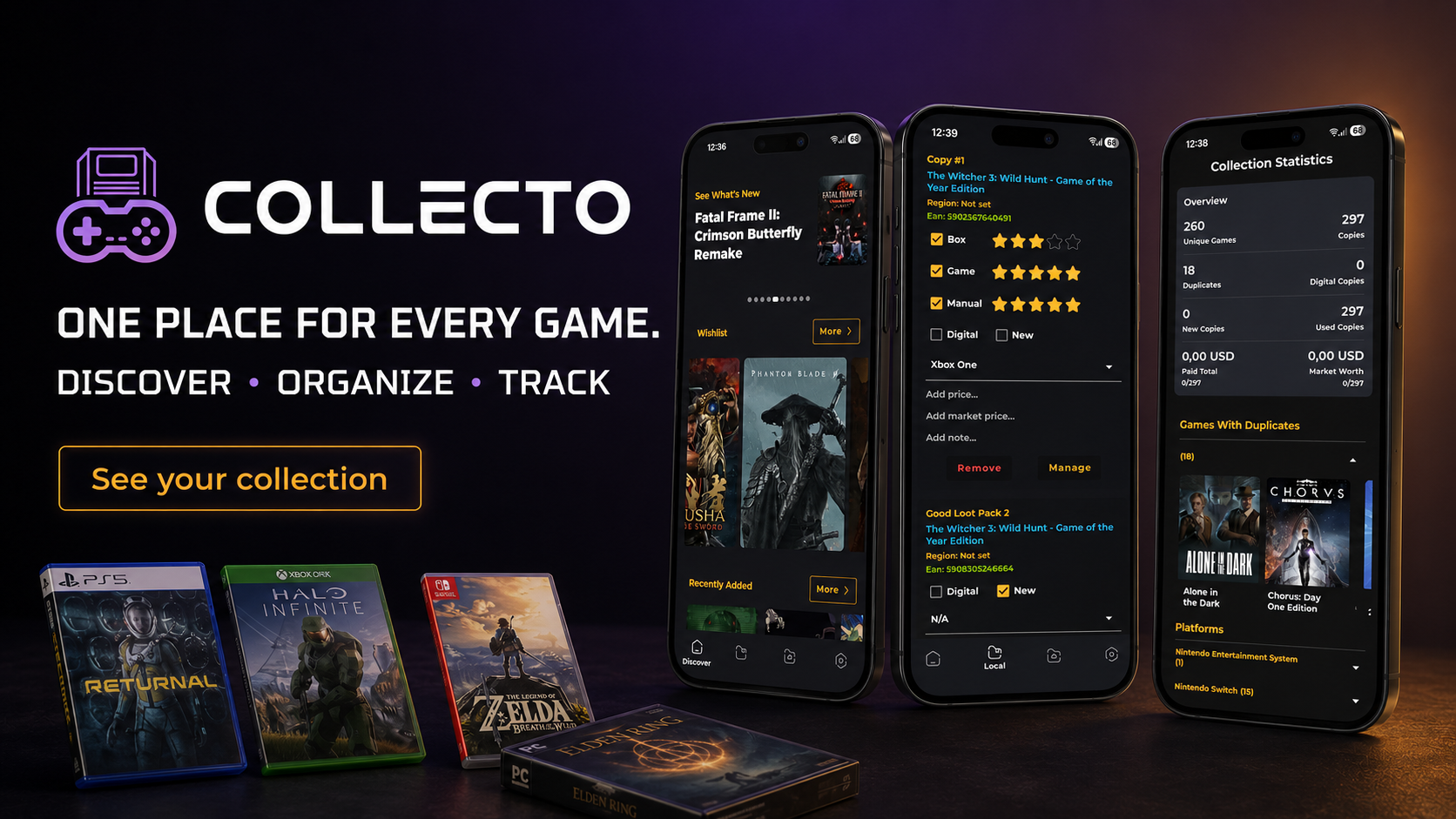
Collecto brings physical games, digital titles and retro games into one Android collection tracker. Add entries by barcode, catalog search or manual entry, then keep platforms and copies organized.
Scan a physical game case to help find and add it quickly.
Keep PlayStation, Xbox, Nintendo, PC and retro games together.
Add digital games, imports and titles without a usable barcode through search or manual entry.
Keep separate records when you own more than one copy of a game.
Use barcode scanning to add physical games, then review the saved copy details in your collection.
"Scanning over 400 game boxes took me just one afternoon. Extremely fast database and gorgeous dark interface!"
"Finally an app that accurately recognizes European (PAL) and Japanese (NTSC-J) releases. A must-have for every gamer."
"Great application! Very fast "
Game collection tracker
Collecto by VestraCode helps you catalog physical and digital games across PlayStation, Xbox, Nintendo, PC and retro platforms. Record copy condition, purchase prices, tags, notes and watchlist items, then export PDF or CSV reports.


Record the condition of the box, game and manual separately. Keep notes for the details you want to remember about an individual copy.
Save purchase prices and track multiple copies across platforms. Collection totals reflect your saved purchase prices, not a live market valuation.
Organize physical and digital games, retro titles and multi-platform libraries across PlayStation, Xbox, Nintendo and PC. Use manual entry or search when a barcode is unavailable.
Use custom tags for your backlog, completed games, genres or any other categories that make your library useful to you.
Keep the games you want to find next alongside the collection you already own. Separate future plans from your owned copies.
Browse related games by series and franchise to connect the titles in your collection and discover gaps you may want to fill.
Choose which Home sections are visible and change their order. Switch between horizontal carousels and a vertical grid, then use statistics to explore platforms, copies, tags and purchase history based on the prices you entered.
Export your collection as PDF or CSV for a readable report or a structured file you can use outside the app.
Enable automatic daily backups in settings to protect the collection records you have built.
Collecto includes weekly metadata updates for unmapped entries, helping those entries gain catalog information over time.
Scan a barcode, search the catalog or enter the details manually. Choose the approach that fits the copy in your hands.
Add the platform, condition, purchase price, tags and notes. Keep separate copies when you own a title more than once.
Arrange your Home screen, build your watchlist and enable backups. Export a PDF or CSV when you need a copy of your records.
Yes. Collecto supports barcode scanning, catalog search and manual entry for games without a usable barcode or catalog match.
Yes. Track physical copies, digital libraries and retro titles across platforms, including multiple copies of the same game.
Yes. Keep box, game and manual condition, purchase prices and personal notes for each copy.
Explore platforms, copies, tags and purchase history. Collection totals reflect the purchase prices you saved.
Yes. Export PDF and CSV reports and enable automatic daily backups in settings.